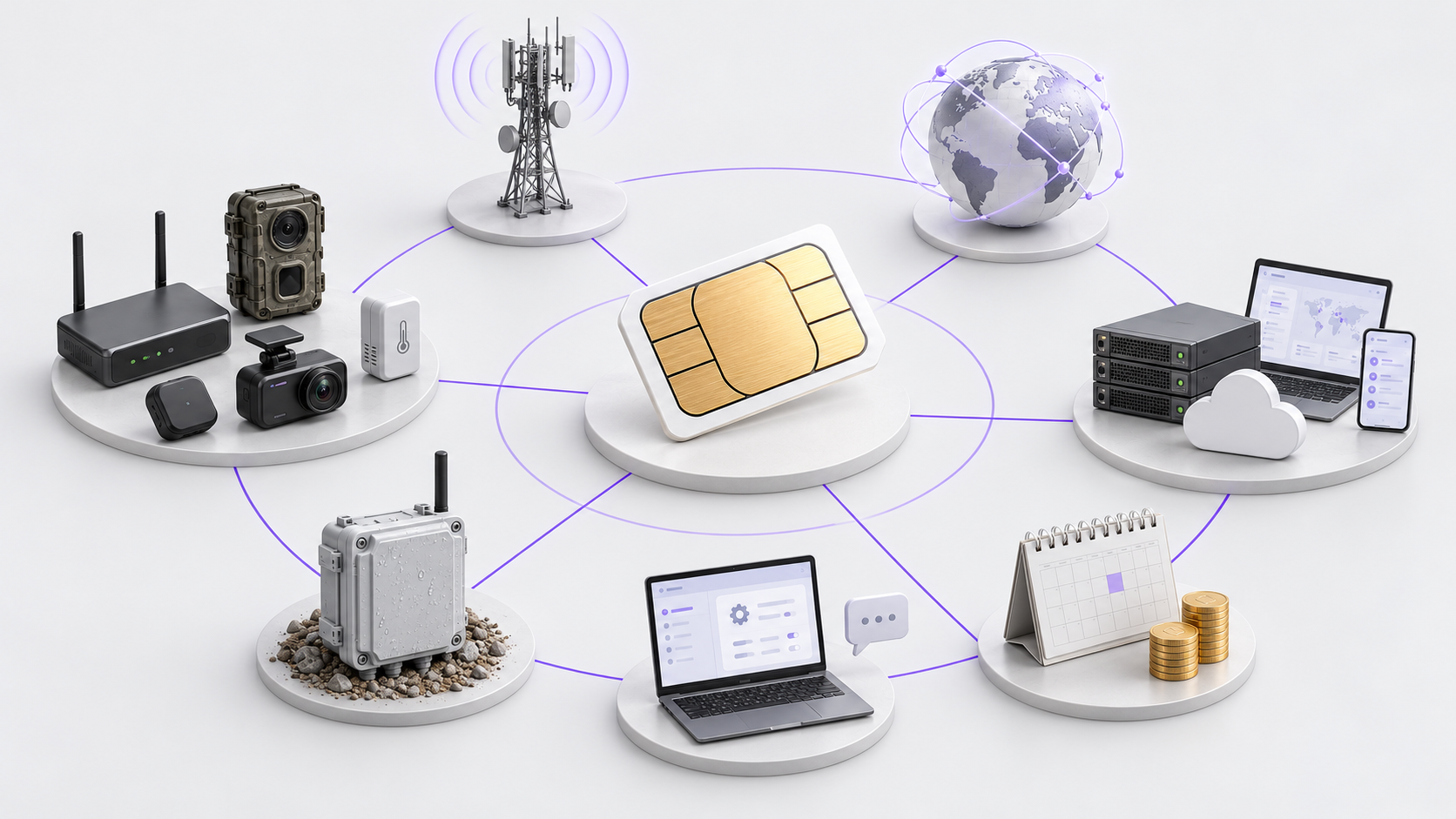
Provided the device is compatible and the mobile provider allows that use, a normal mobile phone SIM can work in some IoT devices. Before putting one in a router, camera or tracker, check the plan’s terms, local coverage and setup requirements. For devices you leave running remotely, features such as access to multiple networks, shared data and online SIM management can make day-to-day use easier.
It’s a reasonable question when you have a spare SIM in a drawer and a new device waiting to connect. You might get it online without much trouble. The practical questions often come later, when a trail camera stops sending photos or one device runs through its data while another barely uses its allowance.
Here are six things to check before choosing a SIM for your setup.
A camera installed in the woods may have very different reception from your phone at home. Before choosing a SIM, think about the exact location where the device will operate and which networks are available there. With myFreeeway, multi-network connectivity gives a compatible device access to multiple partner networks. If a network becomes unavailable, the connection can switch to another available partner network. That provides a useful backup for devices in changing or uneven coverage.
There still needs to be a usable signal at the location. Test the connection where you plan to install the device, particularly around buildings, dense vegetation or other potential obstructions.
Imagine two cameras: one watches a busy entrance and sends clips throughout the day, while the other monitors a quiet storage area. Their data use is unlikely to be identical. Separate fixed allowances can leave you with spare capacity on one SIM while the other approaches its limit.
Data pooling lets several SIMs draw from a shared allowance. myFreeeway offers this on most plans, with the number of devices depending on the subscription. It can help you make better use of the data you buy, especially when activity varies between devices. When comparing options, look at your combined usage and the number of SIMs included. Pooling still has an overall data limit, so allow enough capacity for busy periods.
If your router travels with you or a tracker moves between countries, check roaming before you need it. Confirm the destinations covered, any usage conditions and whether additional charges apply. myFreeeway supports roaming across supported European countries, with no separate roaming charges advertised for its hotspots and routers offering. You can keep the same SIM when moving between supported destinations, with roaming enabled on the device.
Check the countries on your route against your chosen plan, including any stops outside the EU. This is useful whether you’re taking a router camping or moving equipment to a job abroad.
An outdoor camera can spend months exposed to changing temperatures. A tracker inside equipment may also operate in conditions quite different from those of a phone carried in a pocket. For outdoor installations, look at the operating requirements of the whole setup: the device, SIM, power supply and protective housing. myFreeeway offers rugged IoT SIM cards designed for heat, cold and outdoor or industrial use.
The camera or tracker still needs suitable protection and installation. Follow the manufacturer’s guidance for sealing compartments and positioning the device, and check product specifications if you expect particularly demanding conditions.
A device that powers on but sends no data can leave you wondering where to start. The cause might be a setting, an inactive subscription or the connection at the installation site.
Choose a provider whose support covers your type of device setup. myFreeeway provides IoT support in German and English, by phone with the support team, or online in the App 24/7, so you can ask for help with connectivity and configuration. For a myFreeeway SIM, the device must support the required mobile network technology and allow APN configuration and roaming. The APN, or Access Point Name, is part of the mobile data setup. Checking these requirements before ordering can save a frustrating afternoon with the device manual.
Some devices run all year. Others come out for a holiday, a seasonal project or a temporary installation. Consider how you’ll manage the SIM when those needs change, including the cancellation terms and any ongoing charges.
You can order a myFreeeway SIM with free shipping and no activation fee, then choose a paid data plan when you’re ready. The service offers monthly cancellation, and the myFreeeway Web App lets you manage your SIMs and monitor data use online. That visibility helps when you have several devices to look after. You can check consumption as you go and review your plan before a busier period.
A phone SIM may be suitable if the provider permits its use in your device and its coverage, allowance and management options meet your needs. It’s sensible to check what an existing plan already offers.
As your setup grows, or your devices operate further from easy reach, the six questions above become more useful. A shared allowance may matter most for several cameras; access to multiple networks may be more valuable for equipment that moves between locations. Choose around how your devices will actually work.
To get started with myFreeeway, you can order your free IoT SIM and explore the data plans for your device and expected usage.

{
"@context": "https://schema.org",
"@type": "BlogPosting",
"@id": "https://myfreeeway.com/blog/iot-sim-vs-normal-sim-card#article",
"mainEntityOfPage": {
"@type": "WebPage",
"@id": "https://myfreeeway.com/blog/iot-sim-vs-normal-sim-card"
},
"headline": "IoT SIM vs normal SIM card: What is the difference?",
"description": "Learn how IoT SIM cards differ from normal SIMs in network coverage, durability and device management, and what to check before choosing one.",
"author": {
"@type": "Person",
"name": "Caterina Rudari"
},
"publisher": {
"@type": "Organization",
"name": "myFreeeway",
"url": "https://myfreeeway.com/"
},
"datePublished": "2026-10-09",
"inLanguage": "en",
"articleSection": [
"IoT SIM",
"Multi-Network"
],
"keywords": [
"IoT SIM card",
"normal SIM card",
"IoT SIM vs normal SIM",
"SIM card for IoT devices",
"multi-network connectivity",
"data pooling",
"IoT roaming",
"IoT SIM management"
],
"about": [
{
"@type": "Thing",
"name": "IoT SIM cards"
},
{
"@type": "Thing",
"name": "Mobile phone SIM cards"
},
{
"@type": "Thing",
"name": "Internet of Things connectivity"
}
],
"mentions": [
{
"@type": "Thing",
"name": "Multi-network connectivity"
},
{
"@type": "Thing",
"name": "Data pooling"
},
{
"@type": "Thing",
"name": "Mobile roaming"
},
{
"@type": "Thing",
"name": "SIM card management"
},
{
"@type": "Thing",
"name": "Access Point Name (APN)"
}
]
}