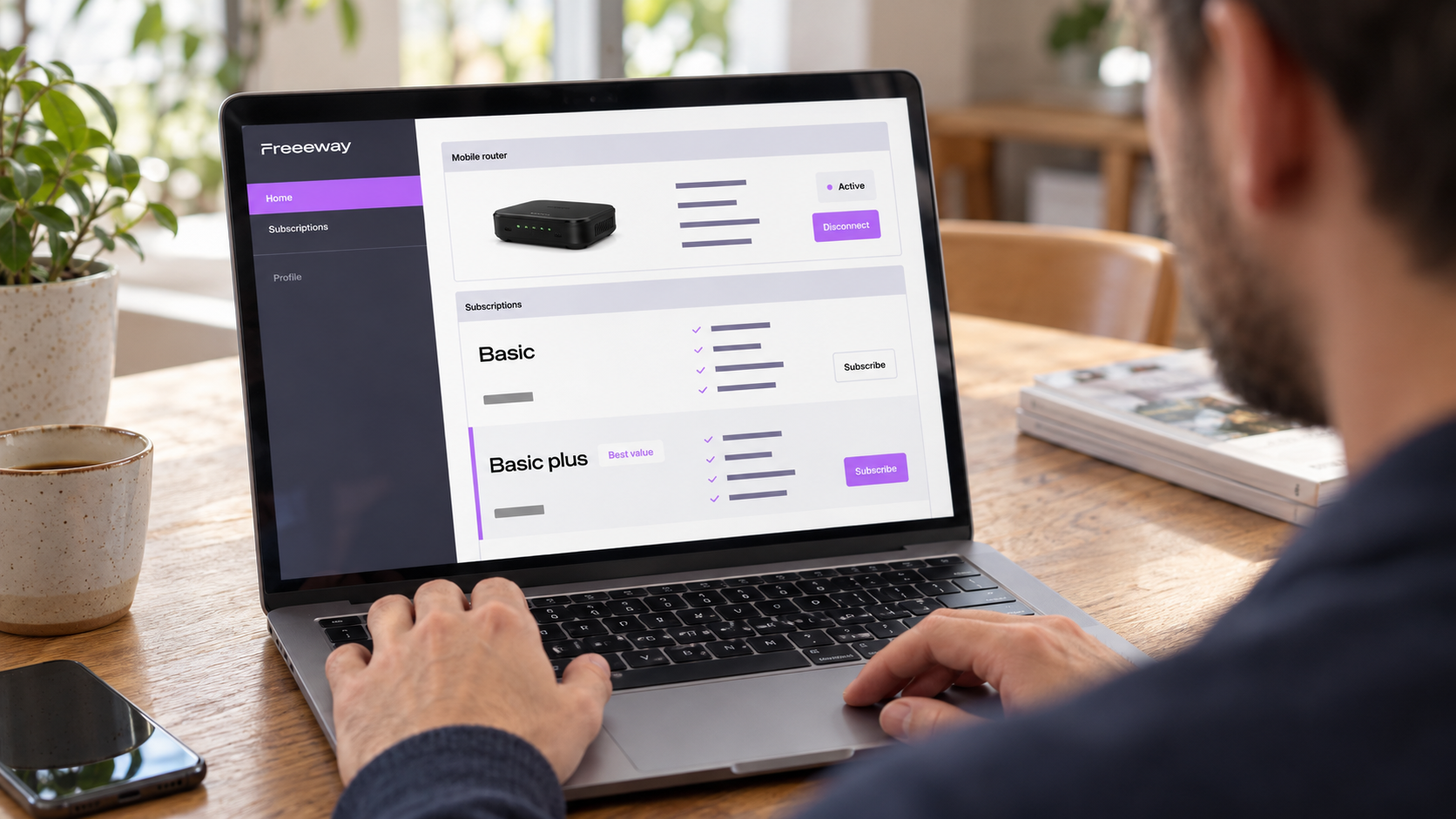
With myFreeeway, you can manage multiple IoT SIM cards centrally through the myFreeeway web app, including activating, pausing and reactivating SIMs. Most plans also let several SIM cards share one subscription and data allowance, with support for up to five devices depending on the selected plan. Perhaps you started with a trail camera and have since added a garden security camera and a router for weekends away. As your collection grows, having their mobile connections in one place makes it easier to keep track of what is active and how much data the devices need together.
The myFreeeway web app gives you a central place to manage your SIM cards. This is useful when your devices are spread across different locations or some are only used occasionally. Your camera’s recording settings or your tracker’s location updates remain in the device manufacturer’s app. The myFreeeway web app handles the SIM’s mobile connectivity.
Data pooling means several SIM cards use a shared allowance. Each device has its own SIM, while its mobile data consumption counts towards the same total. Imagine two cameras sharing a hypothetical 2 GB monthly allowance. If one uses 500 MB and the other uses 1 GB, their combined consumption is 1.5 GB, leaving 500 MB available in the pool. This can be helpful when activity varies between devices. A camera at a busy entrance may upload regularly, while another watching a quiet storage area sends only occasional images. Check that your chosen plan supports pooling and allows enough SIMs for your setup.
A shared plan needs to cover the combined usage of every SIM connected to it. Adding another device increases the amount of data the group may consume.
Before choosing an allowance, consider:
Leave some room for busier periods and review your needs after adding devices or changing their settings. Our guide, “How to choose an IoT data plan for your device,” explains how to estimate monthly usage.
A campervan router may only be needed during trips, while a security camera stays connected throughout the year. Managing their SIMs centrally helps you handle those different schedules. With myFreeeway, you can pause and reactivate SIMs through the web app. Before pausing one, check the applicable subscription conditions, including any ongoing charges. A device whose SIM is paused will lose its mobile data connection, so consider whether you still need remote alerts or access during that time.
Different device types can be part of your setup, provided each is compatible with the SIM and the selected plan. Check the required SIM format, supported mobile network technology and whether the device allows you to configure the APN and enable roaming. For devices in different locations, also confirm that the plan covers each country and that a usable mobile signal is available at each installation site.
If you’re ready to bring your connections together, explore myFreeeway and choose a plan for your number of devices and their combined data needs.

{
"@context": "https://schema.org",
"@type": "BlogPosting",
"mainEntityOfPage": {
"@type": "WebPage",
"@id": "https://myfreeeway.com/blog/how-to-manage-multiple-iot-sim-cards-and-share-data"
},
"headline": "How to Manage Multiple IoT SIM Cards and Share Data",
"description": "Manage multiple IoT SIM cards with myFreeeway. Learn how shared data plans, central SIM management and activation work across your connected devices.",
"author": {
"@type": "Person",
"name": "Mia Ščap"
},
"publisher": {
"@type": "Organization",
"name": "myFreeeway",
"url": "https://myfreeeway.com"
},
"datePublished": "2026-11-06",
"url": "https://myfreeeway.com/blog/how-to-manage-multiple-iot-sim-cards-and-share-data",
"inLanguage": "en",
"articleSection": [
"IoT SIM",
"Data Pooling"
],
"keywords": [
"Manage multiple IoT SIM cards",
"IoT data pooling",
"Shared IoT data plans",
"IoT SIM management",
"myFreeeway Web App",
"IoT SIM activation",
"IoT SIM card",
"Multiple SIM cards",
"IoT data sharing"
]
}